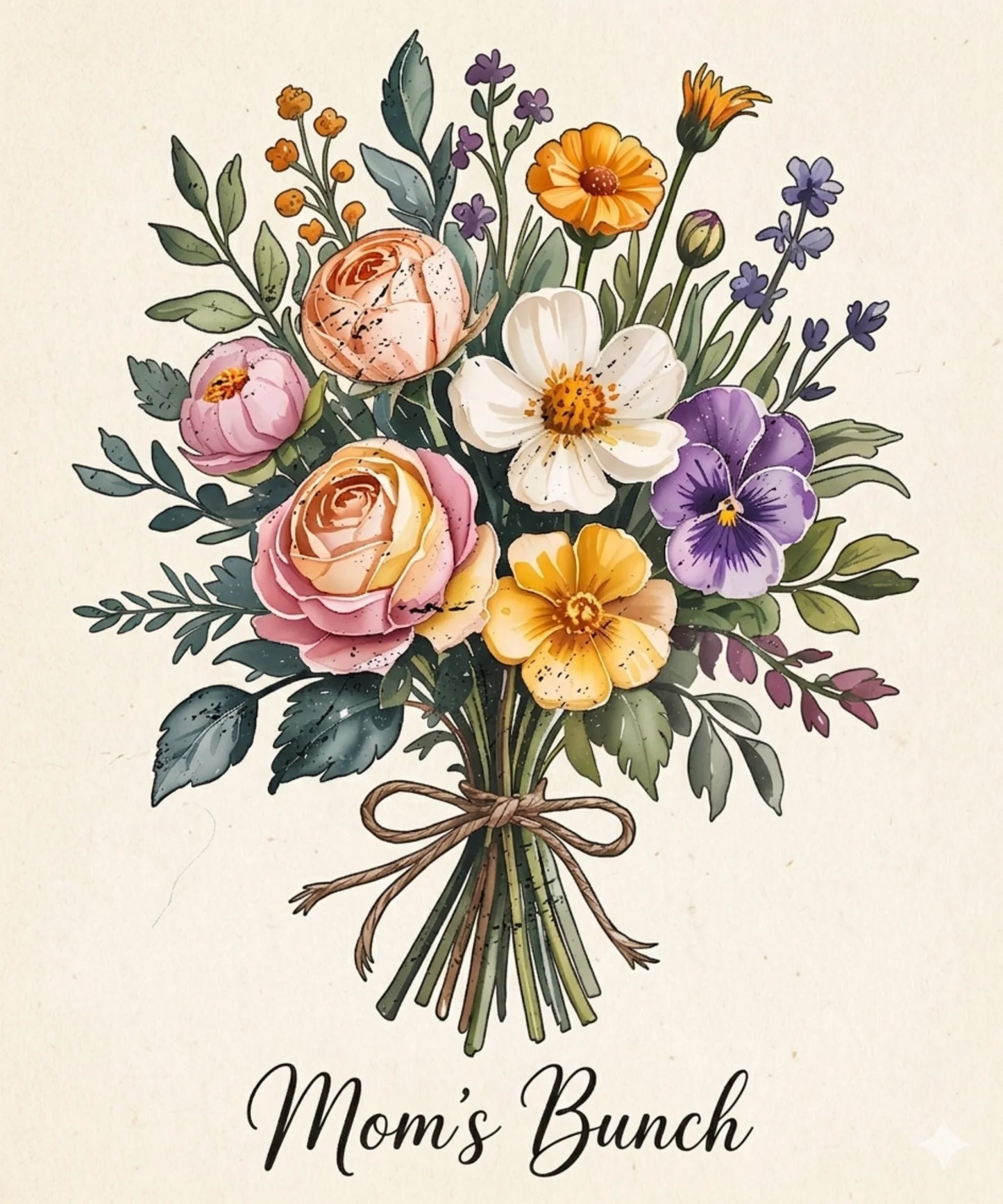
Mother’s Day Floral Bouquet DTF Transfer – Mom’s Bunch Shirt Design Ready to Press
Mother’s Day Floral Bouquet DTF Transfer – Mom’s Bunch Shirt Design Ready to Press
This is separate from the main placement picker above.
Removing background…
This may take some time depending on file size. Please wait.
Couldn't load pickup availability
HOW TO APPLY WITH HEAT PRESS | HOT PEEL
HOW TO APPLY WITH HEAT PRESS | HOT PEEL
How to Apply Hot Peel Film
- Set Heat Press – Adjust temperature and timer (see temperature guide below).
- Set Pressure – Use medium pressure (around 60 lbs).
- Prepare Garment – Place the garment flat onto the heat press.
- Position Film – Place the DTF film in the desired location. (Optional: cover with Teflon or parchment paper for protection.)
- Press – Heat press for 3–8 seconds.
- Peel – Carefully peel the film immediately after pressing (within 5 seconds).
- Post-Press (Optional) – Cover with Teflon/parchment paper and press for an additional 3–5 seconds for stronger durability.
🌡️ Temperature Guide
- Cotton: 325°F
- Polyesters: 275°F
- Tri-Blends: 275°F
- 50/50 Blends: 300°F
👕 Garment Compatibility
DTF transfers work with almost all fabrics and garment types, including:
- Cotton & Combined-Cottons
- Tri-Blends & 50/50 Blends
- Polyester & Blended Fabrics
- Leather, Vinyl, Denim, Canvas, and more
HOW TO APPLY WITH HEAT PRESS | COLD PEEL
HOW TO APPLY WITH HEAT PRESS | COLD PEEL
❄️ How to Apply Smart Peel (Cold/Warm Peel) Film
- Set Heat Press – Adjust temperature and timer (see temperature guide below).
- Set Pressure – Use medium pressure (around 60 lbs).
- Prepare Garment – Place the garment flat onto the heat press.
- Position Film – Place the DTF film on the garment in the desired location. (Optional: cover with Teflon or parchment paper to prevent overheating.)
- Press – Apply heat for 8–15 seconds.
- Cool Down – Remove garment from the press and let it cool for 1–2 minutes.
- Peel – Carefully peel the film once cooled (cold/warm peel).
- Post-Press (Optional) – Cover with Teflon/parchment paper and press for an additional 3–5 seconds to ensure durability.
🌡️ Temperature Guide
- Cotton: 325°F
- Polyesters: 275°F
- Tri-Blends: 275°F
- 50/50 Blends: 300°F
👕 Garment Compatibility
DTF transfers work with almost all fabrics and garment types, including:
- Cotton & Combined-Cottons
- Tri-Blends & 50/50 Blends
- Polyester & Blended Fabrics
- Leather, Vinyl, Denim, Canvas, and more
HOW TO APPLY WITH HOME IRON
HOW TO APPLY WITH HOME IRON
Application Instructions (Using an Iron)
- Heat Setting – Set your iron to the highest cotton setting (make sure steam is off).
- Preheat Garment – Iron the area where the transfer will be applied for a few seconds to remove wrinkles and moisture.
- Position Transfer – Place the transfer face down on the garment, ensuring it is centered and properly aligned.
- Apply Heat – Press firmly with the iron, moving in small circular motions for 20–30 seconds. Apply even pressure across the entire design.
- Cool & Peel – Allow the transfer to cool completely, then gently peel off the backing paper.
- Final Press (Optional) – For extra durability, cover with teflon or parchment paper and press again for 7–10 seconds.
This is a high-quality DTF transfer ready to press, designed for T-shirts, hoodies, and custom apparel. Perfect for Mother’s Day gifts, floral-themed designs, and boutique clothing.
Celebrate moms with this beautiful “Mom’s Bunch” floral bouquet design. Featuring soft pastel flowers, roses, and a vibrant spring arrangement, this artwork brings warmth and elegance to any custom apparel piece.
Perfect for:
- Mother’s Day shirts
- Gifts for mom
- Boutique apparel collections
- Spring and floral-themed clothing
✔ Ready to press DTF transfer
✔ High-resolution print quality
✔ Works on cotton, polyester, and blends
✔ Vibrant colors and long-lasting durability
Add a soft, loving touch to your designs with this elegant Mother’s Day floral bouquet DTF transfer.